4 Quick Steps to Display Cards and Boards Using Keypup

In this step-by-step tutorial, you will learn how to display consolidated info. from your development stack (Git Repos + PM Tools) using Keypup.

Thomas Williams
Thomas Williams LinkedIn
• 4 min read
4 Quick Steps to Display Cards and Boards Using Keypup

Agile software development methodology is an iterative process aimed to deliver customer value faster by delivering work in small batches. Whether you use Kanban, Scrum or any other approach, you should be familiar with boards made of cards. In Keypup, you can add cards to any dashboard or create Boards in order for you to keep track of specific tasks or projects. Keypup does not aim to replace project management tools but to grant you access to your development data from git repositories and project management all in one place.

Here's how you can display a Board or Card with Keypup in 4 easy steps:

Add a Card or a board to a dashboard

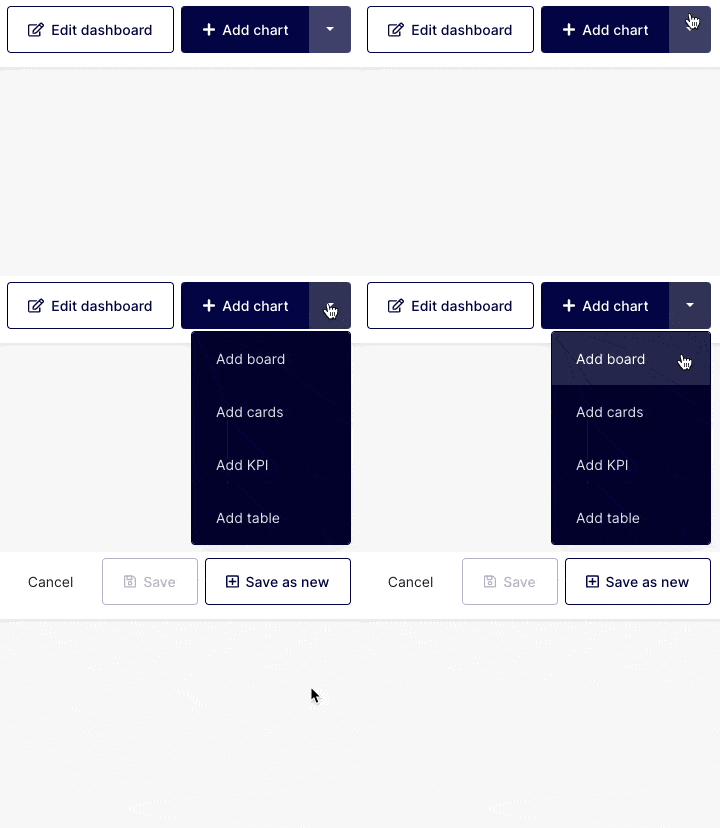
Click on any dashboard or in the Card collection found on the right-hand side of the navigation bar and select "Add Card" or "Add Board".
Image

Choosing Boards or Cards?

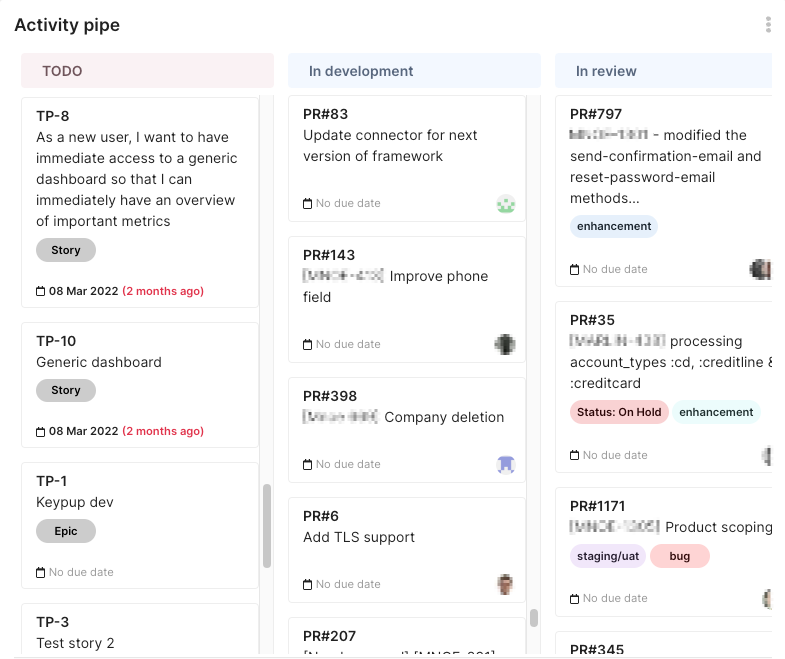
  • Boards: Boards are often used to showcase items (Pull Requests, Issues, Bugs…) assigned to specific projects or users and organized based on the priorities set by the organization (due date, project significance, etc.). It helps visualize a series of items and see them organized by stage or date.
Image

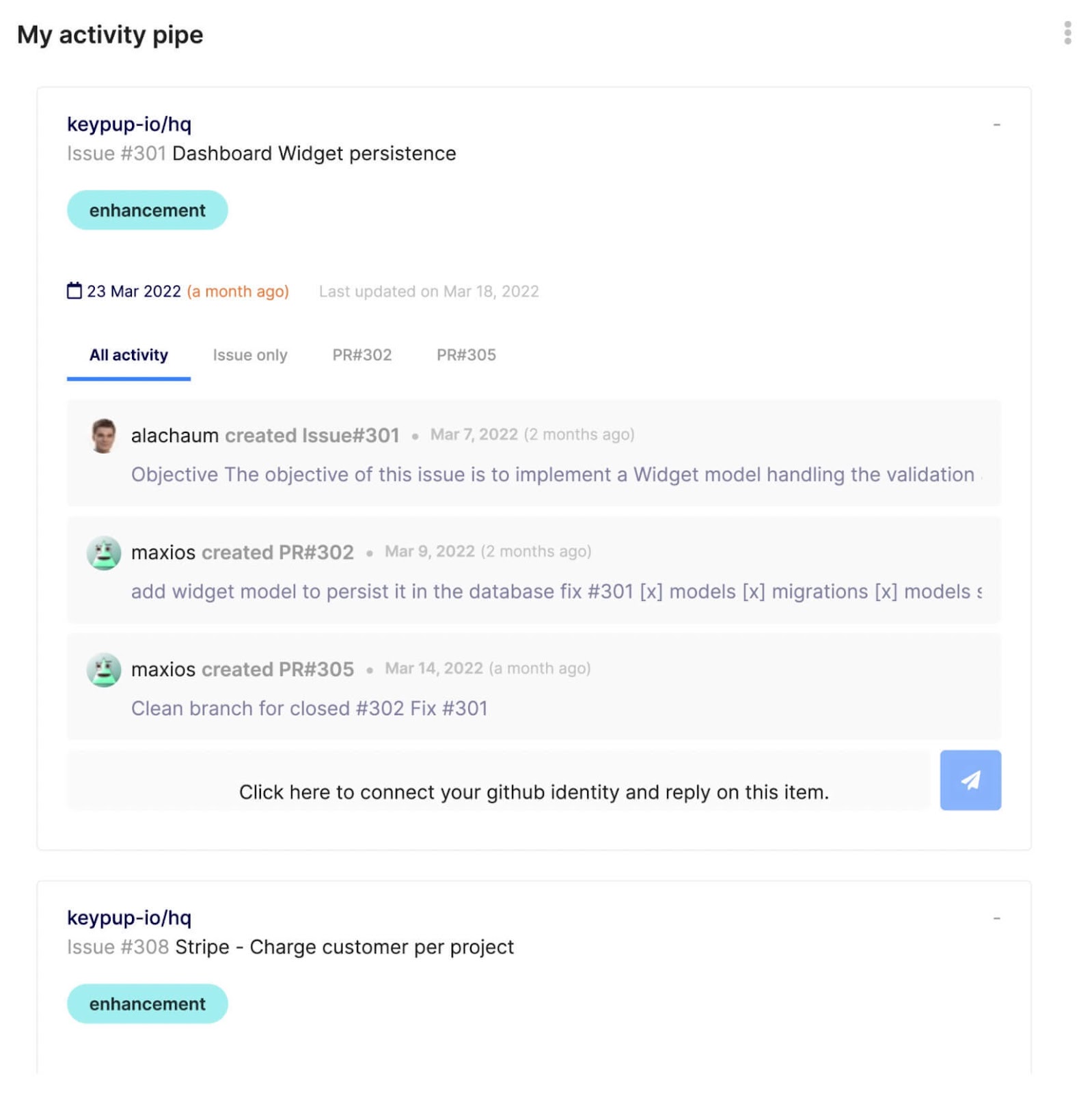
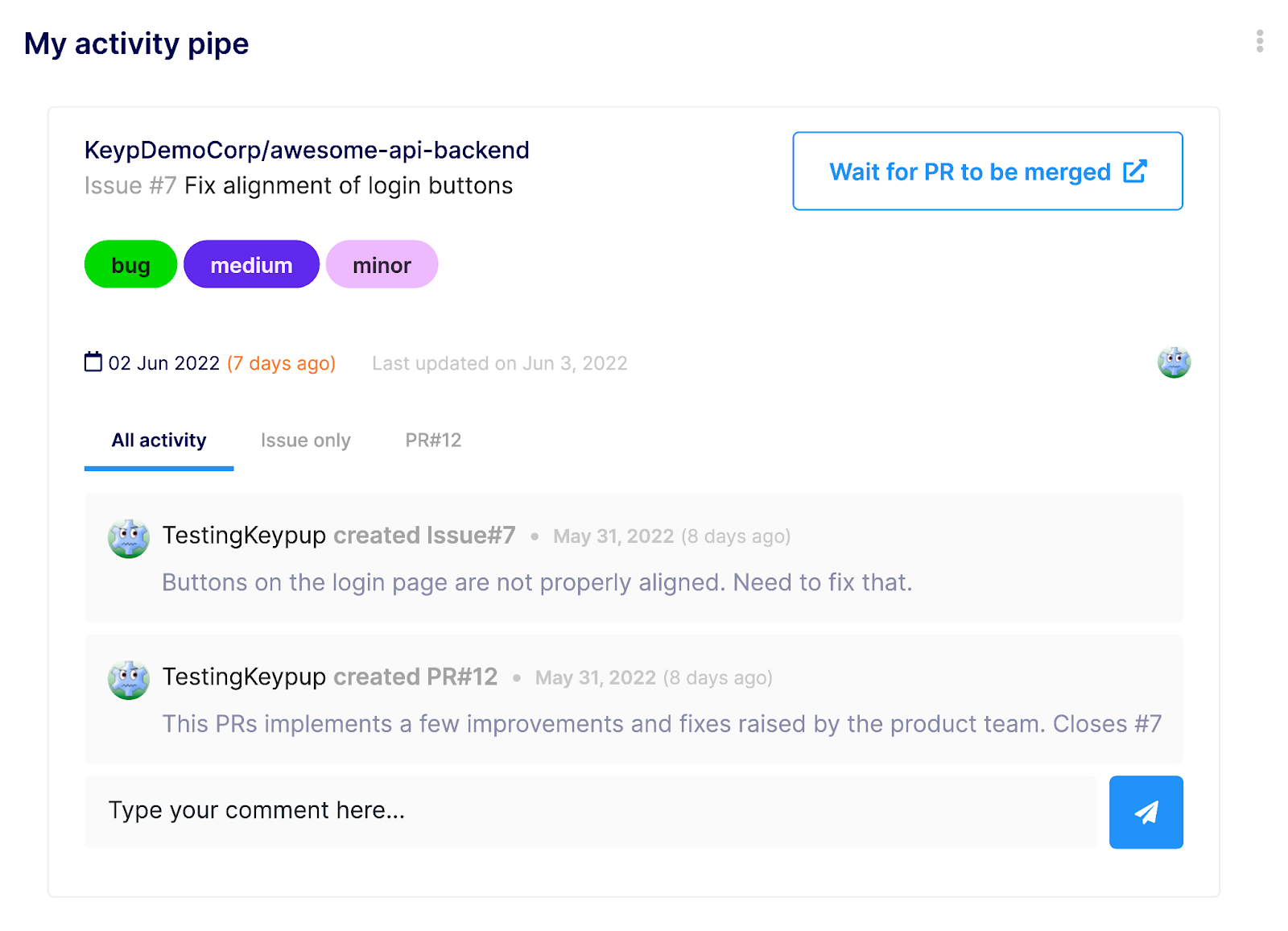
  • Card: Cards are a more detailed view of a particular item placed on a board. Their role is to provide granular information at a project or task level for the team or individuals.
Image

Image

Configure Filters

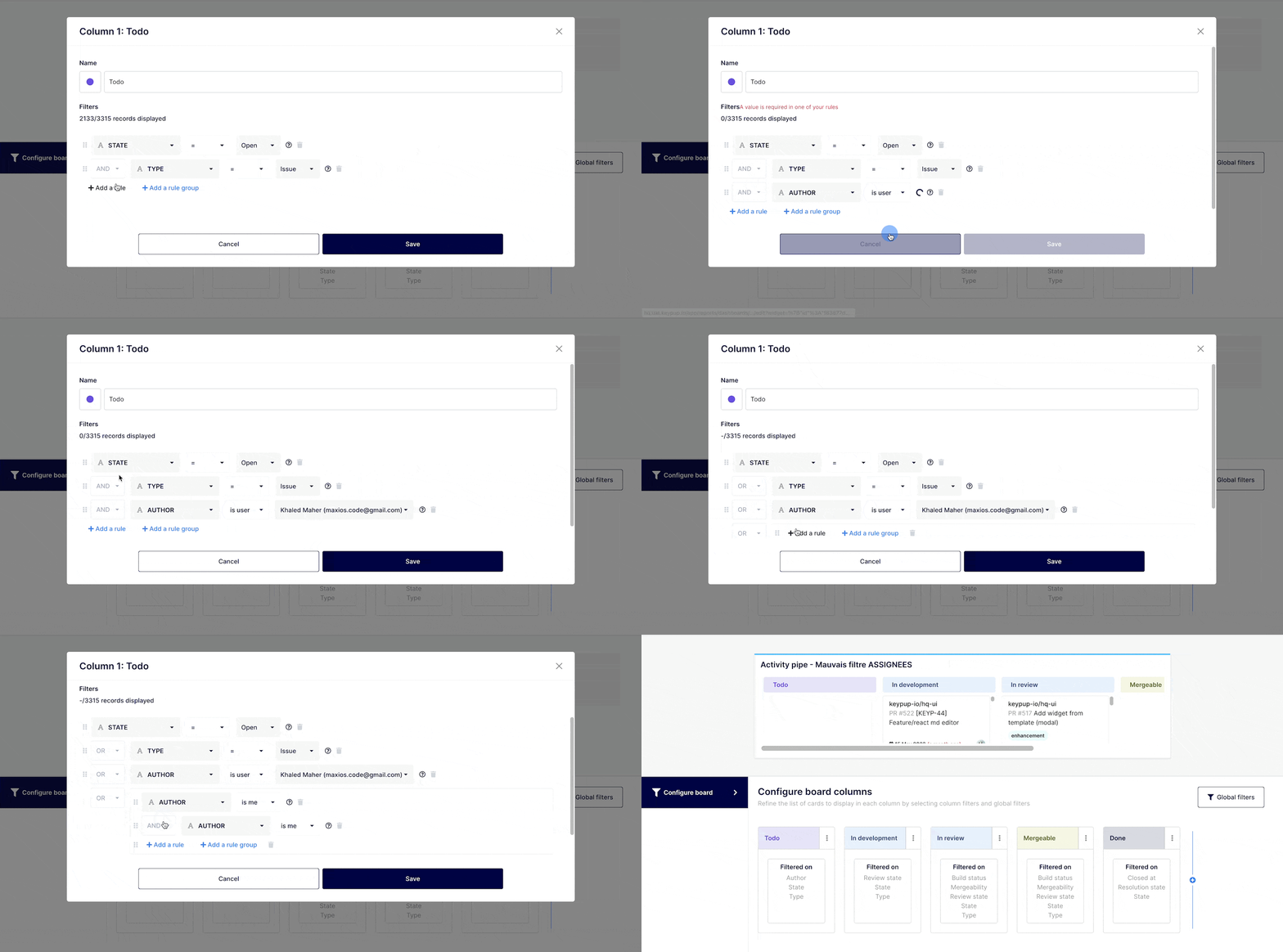
Boards and cards are created using "AND" / "OR," commands. Cards have 1 filter set only while Boards have filters for each column in addition to a global filter at a board level.

You can narrow down further a view at a board level by applying an additional filter (not applicable for cards). You can use this option, as an example if you want your entire team to use the same board but you want to see what is assigned to a particular team member.
Image

Customize your Chart / Board "look & feel" (optional)

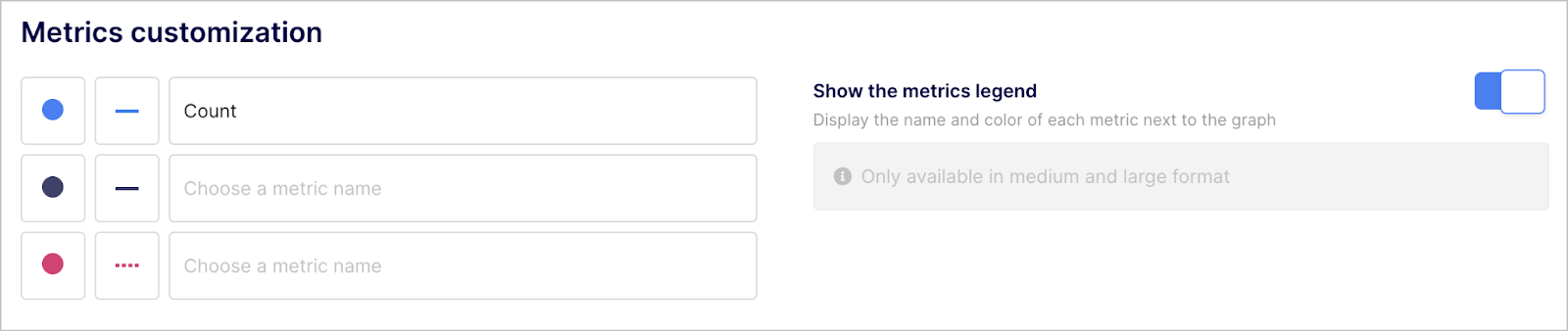
Customization of the boards and cards will be automatically suggested. Although it is not necessary, you will have the ability to further customize the look and feel of your boards and cards.
Image

Any questions or tips you would like to share? You can contact us directly in the chat from your Keypup interface or use this contact form.


Ready to Transform Your Analytics?

Join teams already using AI to make data-driven decisions faster than ever.

Most Recent Articles

The Due Date Mirage: Why Half of Your Jira Deadlines Slip, and Where the Late Days Go

The Due Date Mirage: Why Half of Your Jira Deadlines Slip, and Where the Late Days Go

Engineering leaders on Reddit keep asking the same question: why do we miss so many dates when every team says the work is on track? In a typical enterprise organization, 46% of Jira issues with a due date close late, and only 41% of the misses come from code taking too long. Learn how Keypup MCP splits every missed due date into waiting, coding, review and closing time, using Jira due dates, workflow history, story points and linked pull requests.

Stephane Ibos
The Thin Ticket Tax: How Underspecified Jira Issues Double Your Cycle Time

The Thin Ticket Tax: How Underspecified Jira Issues Double Your Cycle Time

Engineers on Reddit keep saying the same thing: the ticket said "fix the export" and nothing else. In a typical enterprise organization, 38% of completed Jira issues have an empty or one-line description, and once started they take twice as long, bounce back to In Progress 3.5 times as often and get changes requested in review twice as often. Learn how Keypup MCP measures ticket quality from issue descriptions, workflow history, sprints, comments and linked pull requests.

Arnaud Lachaume
The Untraceable Merge: When a Third of Your Merged Code Has No Ticket Behind It

The Untraceable Merge: When a Third of Your Merged Code Has No Ticket Behind It

Enterprise change policies say every change traces back to a ticket, but in a typical organization 34% of merged pull requests resolve no Jira issue, carrying 29% of the code. Learn what engineering leaders on Reddit say about pull requests without linked issues, audit traceability and R&D capitalization, and how Keypup MCP measures the traceability gap from resolved issues, branch names, issue types, approvals and mergers.

Thomas Williams